A plain-English breakdown for the rest of us
All right, so I’m sure you’ve heard the term “Raspberry Pi” thrown around at some point — maybe at a tech meetup you didn’t really want to attend, maybe in a YouTube rabbit hole at 1 a.m., or maybe from that one coworker who’s always tinkering with something in the break room. And I’m also sure a lot of you are going, “Is that a computer? A toy? Some kind of fruit-adjacent thing?” Spoiler alert: it’s a computer. A real, actual, functioning computer. And it costs about as much as two fancy lattes. That’s not a typo.
Let me walk you through the whole thing — what it is, where it came from, what it does, and whether you actually need one. I’ll keep it real, I’ll keep it simple, and I’ll try not to make you feel like you accidentally wandered into an MIT lecture. You’re welcome.
A Single-Board Computer: What That Actually Means
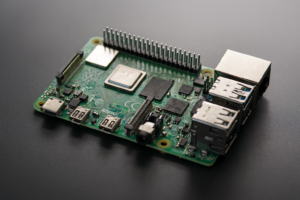
A Raspberry Pi is a single-board computer – meaning the entire computing package, CPU, GPU, RAM, ports and all, lives on one small circuit board roughly the size of a credit card. That’s the short answer, and it’s the correct one.
Now, before we get going, I know what you’re thinking. “One board? That sounds flimsy.” And yeah, fair enough — it doesn’t come in a tower case with a glowing logo and a fan that sounds like a jet engine. But don’t let the size fool you. Everything your desktop does — browsing the web, playing video, running programs, even light gaming – a Raspberry Pi can do too. It’s just doing it from something that looks like it fell out of a smoke alarm. The GPU and CPU are integrated into a single chip called a System on a Chip, or SoC, and the RAM, USB ports, HDMI output, and microSD card slot are all soldered right onto the board. There’s no assembly required. Well, mostly. I mean, you do have to plug it in.
Where This Thing Actually Came From
The Raspberry Pi didn’t come from a Silicon Valley startup with a ping-pong table and cold brew on tap. It was born out of genuine educational concern — and that’s honestly kind of refreshing.
Back in 2008, a group of people including Eben Upton — who would become CEO of the commercial arm — noticed something troubling at the University of Cambridge’s Computer Laboratory: the number of students applying to study computer science was declining, and so was the skill level of the ones who did apply. Kids were growing up with computers everywhere but weren’t learning how they actually worked. The Raspberry Pi Foundation was established to fix that. Their mission was simple: make a cheap, accessible computer that could get kids interested in programming again. They took inspiration from the BBC Micro of the early 1980s; a computer that was basically deployed into British classrooms to teach an entire generation how to code. In fact, the names “Model A” and “Model B” for Raspberry Pi models are a direct homage to the BBC Micro. That’s a fun bit of trivia to drop at your next barbecue. You’re welcome again.
The first Raspberry Pi launched in April 2012, and the demand was so overwhelming that they had to ramp production to 4,000 units per day by July of that same year. By 2015 — just three years in — it had surpassed the ZX Spectrum as the best-selling British computer of all time. As of March 2025, over 68 million units have been sold. Sixty-eight million. That’s not a niche hobbyist gadget anymore. That’s a movement.
The Hardware: What’s Actually on the Board
The Raspberry Pi packs a surprising amount of computing power into a very small space — and understanding what’s on the board helps you understand why it can do so much.
At the heart of every flagship Raspberry Pi is a Broadcom system on a chip that combines an ARM-based CPU and a GPU in one package. The original 2012 model ran a single-core 700 MHz CPU with 256 MB of RAM. I know, I know — your old flip phone might have had more. But the latest Raspberry Pi 5, released in October 2023, features a significantly upgraded CPU and GPU, up to 16 GB of RAM, and a PCIe interface that lets you plug in fast peripherals. That’s a genuine quantum leap in about a decade. The board also includes HDMI ports (two of them on the Pi 4 and Pi 5), USB ports, a 40-pin GPIO header, built-in Wi-Fi, Bluetooth, and an Ethernet port. Storage is handled by a microSD card — you load your operating system onto it, slot it in, and you’re off to the races. Some of the more advanced models also support NVMe storage through that PCIe slot, which is genuinely fast.
And then there’s the GPIO — General Purpose Input/Output — pins. This is where the Raspberry Pi gets really interesting. Those 40 little pins along the edge of the board let you connect physical electronic components: sensors, motors, LEDs, displays, relays, you name it. It’s what separates the Pi from just being a cheap desktop computer and makes it a genuine prototyping and electronics platform. Different studies and teardowns show different pin configurations depending on the model, but the 40-pin layout has been standard since 2014. It’s in between “interesting feature” and “total superpower.” I don’t know exactly how to explain it without a soldering iron in hand, but trust me on this one.
The Models: Which Pi Is Which
There isn’t just one Raspberry Pi — there’s a whole family of them, and picking the right one for your project actually matters.
The flagship line is what most people mean when they say “Raspberry Pi.” It runs a full Linux operating system, has all the ports you’d expect, and comes in multiple RAM configurations. The Pi 4 and Pi 5 are the current heavy hitters here — the Pi 5 in particular is fast enough to be used as a legitimate everyday desktop computer. Then there’s the Raspberry Pi Zero, a miniaturized spinoff that costs around $5 to $15 depending on the variant. It’s tiny — even smaller than the standard Pi — lower powered, and perfect for projects where you need something small and cheap. I’m sure a lot of you are going, “Five dollars? What’s the catch?” The catch is it’s slower and has fewer ports, but for a lot of embedded projects, that’s totally fine. Then there’s the Compute Module, which strips away the ports and packages the Pi in a form factor designed for industrial integration. And on the other end of the spectrum, the Raspberry Pi 400 is literally a full Raspberry Pi 4 built inside a keyboard — which is very on-brand for a device inspired by 1980s home computers. The Pico line is a microcontroller — smaller, simpler, no operating system, just direct hardware control — using their own in-house RP2040 or the newer RP2350 chip. Different tool for a different job, basically.
The Operating System: What It Runs On
The Raspberry Pi runs Linux — and before you panic, it’s actually fine, even if you’ve never touched Linux before.
The official operating system is Raspberry Pi OS, formerly known as Raspbian. It’s based on Debian, which is one of the older and more stable Linux distributions out there. It comes with a familiar desktop environment, a web browser, a word processor, a spreadsheet app, and a suite of programming tools. You can literally sit down and use it like a normal computer, which is kind of the point. That said, you’re not locked into Raspberry Pi OS. Ubuntu has versions specifically built for the Pi. LibreELEC is a lightweight OS designed for media center use. RetroPie is an OS for running retro game emulators — which I’ll admit is a major use case for a lot of people, not that I’m judging. There’s also Windows IoT Core if you want a taste of Windows on your Pi, though I personally wouldn’t bother. The operating system gets loaded onto a microSD card using a tool called Raspberry Pi Imager, which makes the whole process about as complicated as burning a CD in 2003. Pretty painless.
What You Can Actually Do With One
Here’s where it gets fun — because the list of things you can build with a Raspberry Pi is genuinely ridiculous.
The obvious starting point is education. The whole device was designed to teach programming, and it’s exceptionally good at that. You can learn Python, Scratch, JavaScript, or basically any language you want on one. Schools around the world use them to introduce kids to coding — and the Raspberry Pi Foundation runs resources, coding clubs, and even a program called Astro Pi that lets young people run their code on the International Space Station. No, seriously. The International Space Station. I got a few regrets about how I spent my middle school years, and “didn’t try to get my code into space” is now one of them.
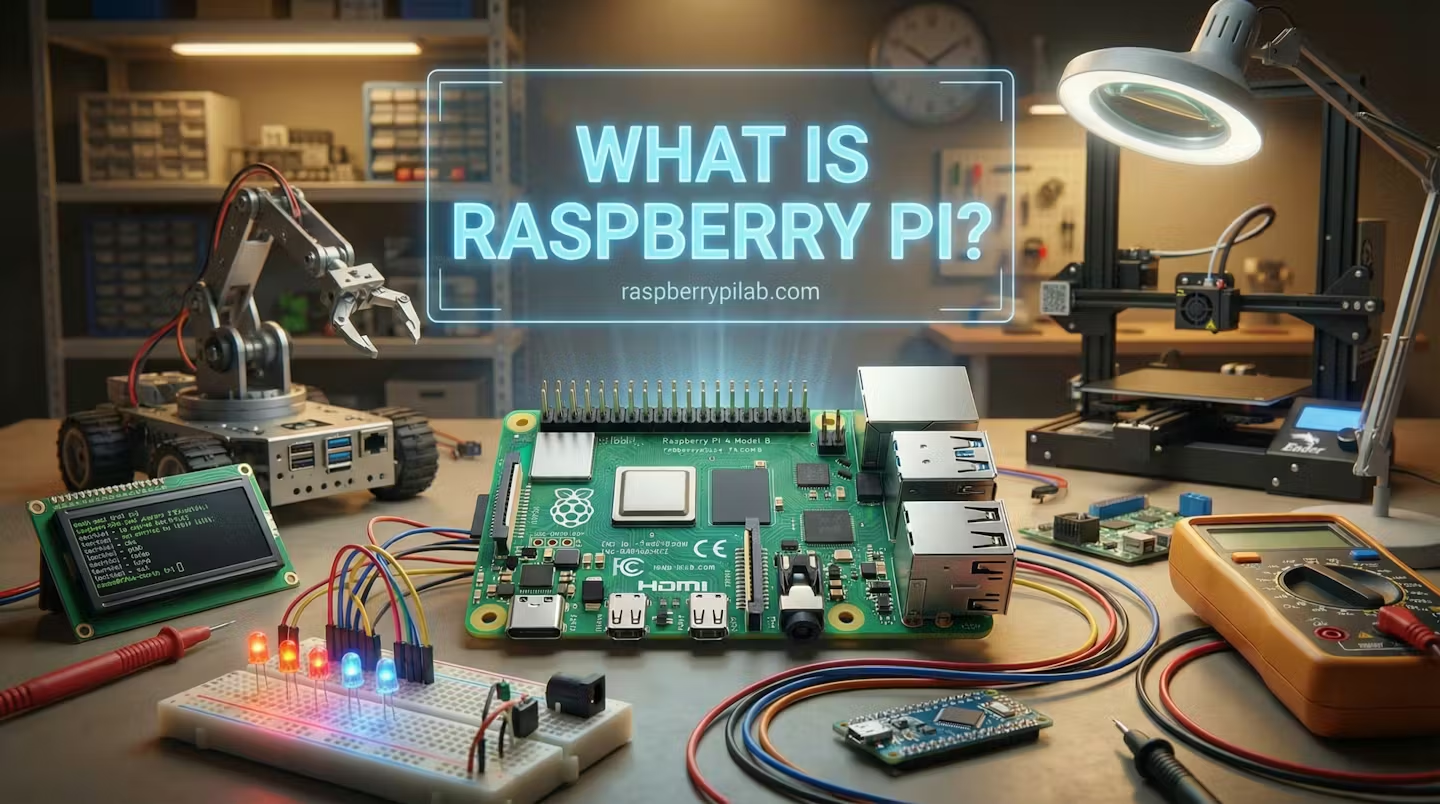
Beyond education, people use the Pi as a home media center — load up Plex or OSMC and you’ve got a streaming box for next to nothing. It makes a solid home automation hub: platforms like Home Assistant run beautifully on a Pi and let you control lights, thermostats, security cameras, and door locks from a single dashboard. It runs as a network-attached storage device when you plug in an external hard drive. It powers weather stations, digital signage, robotics projects, Kubernetes clusters, retro gaming consoles, and even serves as an “AI core” for edge computing and IoT applications when paired with accessories like the AI HAT+. People have used them to build functional arcade cabinets, amateur radio setups, telescope controllers, and — I kid you not — a robot that tracks down mac and cheese recipes. The community will never not find a new use for this thing.
The Pi uses about 15 watts of power, which is a fraction of what a traditional desktop draws. So you can run it 24/7 as a home server without it showing up on your electricity bill in any meaningful way. When your grocery bill looks like a car payment, every watt counts.
The GPIO Pins and Physical Computing
The GPIO header is what separates the Raspberry Pi from just being a cheap laptop without a screen — it’s the bridge between the digital world and the physical one.
Those 40 pins along the edge of the board let you send electrical signals to and receive them from external components. Want to blink an LED? Connect it to a GPIO pin. Want to read the temperature from a sensor? GPIO. Want to control a motor for a robot arm? GPIO. This is called “physical computing” — programming that interacts directly with the real world — and it’s one of the most powerful and unique things about the Raspberry Pi ecosystem. There are also add-on boards called HATs (Hardware Attached on Top) that plug directly into the GPIO header and expand the Pi’s capabilities in specific directions: camera interfaces, display controllers, motor drivers, AI accelerators, the works. The Raspberry Pi Foundation and third-party manufacturers produce dozens of these, so for most common projects, someone’s already built the hardware module you need. You’re standing on the shoulders of thousands of people who had the same idea at 11 p.m. and made it work.
The Community and Ecosystem
One of the things that makes the Raspberry Pi unusually good is that you are almost never the first person to try whatever you’re trying to do — and that community is genuinely helpful.
The Raspberry Pi Foundation has cultivated one of the strongest maker communities in the tech world. There are dedicated forums, subreddits, YouTube channels, blogs, and tutorial sites with step-by-step guides for virtually every project you can imagine. Events like Raspberry Jams and Pi Wars bring enthusiasts together to show off their builds and learn from each other. The Foundation also maintains a library of free learning resources and supports a global network of Code Clubs. Obviously, not every open-source community is this organized — but the Pi community has a reputation for being welcoming to beginners, which matters a lot when you’re staring at a circuit board wondering what you’ve gotten yourself into.
The Raspberry Pi OS is open source. The Foundation contributes back to the Linux kernel and various other open-source projects. The schematics for the boards are publicly released as documentation. It’s not fully open hardware, but it’s considerably more transparent than most consumer electronics, which is more than can be said for a lot of $500 gadgets.
What You Need to Get Started
You can’t just plug a Raspberry Pi into the wall — it needs a few accessories, and it helps to know what before you buy.
The Pi itself is just the board. To actually use it, you’ll need a power supply — the Pi 4 and Pi 5 use USB-C, while earlier models used micro-USB — and you want to use the official one or at least a quality one rated for the correct wattage, because underpowering it causes weird stability problems. You need a microSD card with Raspberry Pi OS installed, a monitor with an HDMI connection, and a USB keyboard and mouse. That’s it for the basics. If you want to go headless — meaning no monitor — you can access the Pi remotely over your network using SSH or VNC, which is how a lot of people run their Pi-based servers. A case is technically optional but strongly recommended, because a bare circuit board sitting on a desk has a concerning amount of ways to short out. I speak from experience, sort of.
The total cost of getting started — Pi plus accessories — is typically somewhere in the $50 to $100 range depending on the model you choose and what you already have lying around. The Raspberry Pi 5 in a 4GB configuration runs about $60 on its own. The Pi Zero 2 W is around $15. Compare that to any other computer with this capability and it’s almost offensive how cheap it is.
The Raspberry Pi in Industry
This isn’t just a hobbyist toy — industry took notice a long time ago, and the Pi has quietly become a legitimate industrial platform.
The Raspberry Pi is used in factory automation, embedded systems, digital signage, and commercial IoT deployments around the world. The Compute Module variant was specifically designed for industrial use, letting engineers embed Pi-level computing power into their own custom hardware without designing a whole new board from scratch. Raspberry Pi Holdings — the commercial arm of the Foundation, which went public on the London Stock Exchange in June 2024 under the ticker RPI — specifically prioritized industrial and business customers during the global chip shortage that hit between 2020 and 2022 and caused significant supply issues for the consumer market. That’s not nothing. When supply gets tight, you serve your bread-and-butter commercial customers first. It’s just business, and it tells you how embedded — no pun intended — the Pi has become in real-world infrastructure.
The Bottom Line
The Raspberry Pi is a tiny, low-cost, single-board computer that was built to teach kids to code and accidentally became one of the most versatile computing platforms on the planet.
Whether you want to learn programming, build a home server, automate your house, create a media center, experiment with electronics, or just have a cheap spare computer in your back pocket, the Raspberry Pi can do it. For somewhere between $5 and $80 depending on the model, you get a device with genuine computing power, a massive supportive community, a mature software ecosystem, and GPIO pins that connect it directly to the physical world. Is it going to replace your main computer? Probably not — unless you buy a Pi 500 and decide you’re a minimalist now. But as a tool for learning, building, and tinkering, there’s nothing else like it at this price point. Not even close.
Now go buy one and stare at it for three weeks before figuring out what to do with it. That’s basically the universal Raspberry Pi experience, and I say that with complete affection.
Key entities covered: