Introduction
I remember my frustration paying hundreds of dollars for computers that couldn’t keep pace with my kids’ curiosity about coding and electronics. Raspberry Pi changed that equation completely. This credit-card-sized computer delivers computing power, educational value, and project versatility at a fraction of traditional costs.
Raspberry Pi is a single-board computer developed by the Raspberry Pi Foundation to promote computer science education and accessible computing worldwide. The device combines an ARM processor, RAM, USB ports, GPIO pins, and video output into a compact form measuring just 85mm × 56mm. Since its 2012 launch, over 50 million units have reached students, hobbyists, researchers, and businesses across 195 countries.
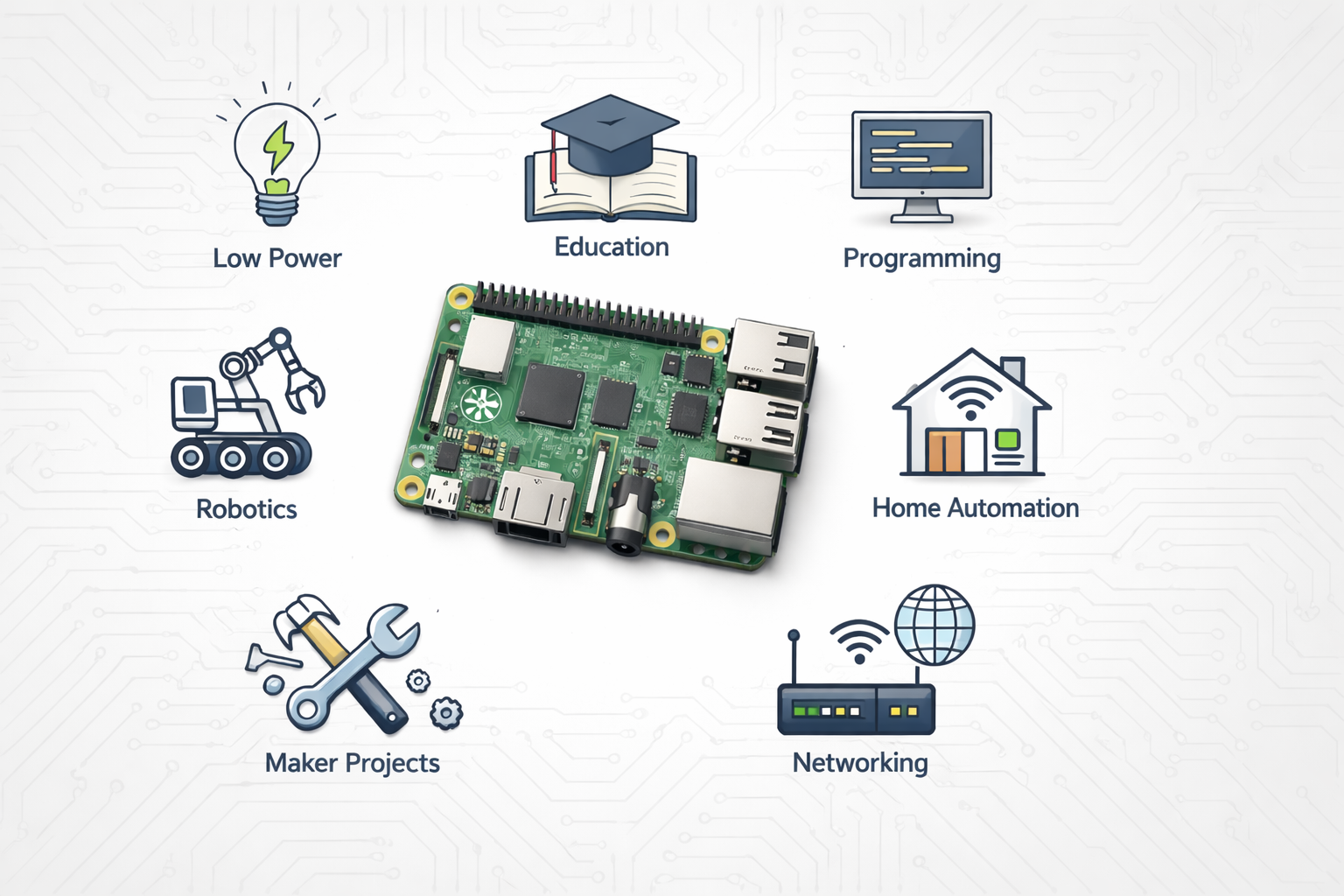
The platform serves multiple audiences with distinct needs. Students gain hands-on programming experience and computational thinking skills. Educators integrate affordable computing labs without budget constraints. Hobbyists build home automation systems, retro gaming consoles, and robotics projects. Professionals prototype IoT solutions, deploy network servers, and monitor industrial equipment. Small businesses implement digital signage, point-of-sale systems, and security cameras.
Cost-Effectiveness and Accessibility
Benefits of Raspberry Pi start with its remarkable affordability compared to traditional computing solutions. The Raspberry Pi 4 Model B costs between $35 and $55 depending on RAM configuration, while comparable desktop computers start at $300 minimum. A complete Raspberry Pi setup including power supply, microSD card, case, and cables costs approximately $75 to $100 total.
This price advantage transforms educational computing economics. A school district can equip a 30-student computer lab for $3,000 using Raspberry Pi devices versus $15,000 for traditional desktops. The cost savings enable institutions with limited budgets to provide one-to-one computing access rather than shared resources.
Global distribution networks ensure availability across developed and developing regions. Official distributors operate in 63 countries, with online retailers shipping worldwide. The Raspberry Pi Foundation partners with local organizations to provide subsidized units for educational programs in underserved communities.
Total cost of ownership remains minimal throughout the device’s lifespan. Power consumption averages 3 to 6 watts during typical operation, translating to $3 to $6 annual electricity costs in the United States. No licensing fees apply for the Raspberry Pi OS or thousands of open-source applications. Hardware failures occur infrequently, with community reports indicating 2-3% failure rates over five-year periods.
Project development costs stay within reach for individuals and small organizations. A home automation system requires $150 to $300 in components compared to $500 to $2,000 for commercial alternatives. A network-attached storage solution costs $100 in hardware versus $400 to $800 for consumer NAS devices. These savings compound across multiple projects and implementations.
Educational Value and Learning Opportunities
Raspberry Pi serves as an exceptional platform for STEM education through hands-on computing experiences. The device supports constructionist learning principles where students build knowledge through creating projects rather than passive consumption. Research from the University of Cambridge indicates students using Raspberry Pi demonstrate 34% higher engagement in computer science coursework compared to traditional instruction methods.
Programming language support spans beginner-friendly options to advanced development tools. Scratch provides visual programming blocks for students as young as seven years old. Python serves as the primary teaching language, pre-installed with comprehensive libraries for mathematics, data science, and hardware control. Java, C++, JavaScript, and Ruby run natively for students progressing to professional development skills.
Hands-on Learning Methodology
The physical computing aspect connects abstract programming concepts to tangible outcomes. Students write code that lights LEDs, controls motors, reads sensors, and generates sounds. This immediate feedback loop reinforces cause-and-effect relationships and debugging skills. The GPIO pins provide 40 connection points for electronics experimentation without specialized equipment.
Skill Progression Pathways
Beginners start with guided projects following step-by-step instructions from the Raspberry Pi Foundation’s official projects portal. Intermediate users modify existing code and combine multiple concepts into original creations. Advanced students design complete systems, contribute to open-source projects, and prepare portfolios for university admissions or employment.
Teacher resources include complete curriculum units aligned with national standards. The Raspberry Pi Foundation offers free professional development courses for educators, with over 85,000 teachers completing certification programs. Lesson plans, assessment rubrics, and classroom management strategies address implementation challenges. Technical support specifically for educators operates through dedicated forums and email channels.
Classroom implementation success rates exceed traditional computer science programs. Schools report 40% to 60% increases in computer science enrollment after introducing Raspberry Pi-based courses. Student demographics show improved gender balance, with girls representing 45% of Raspberry Pi project participants compared to 25% in traditional programming classes. Underrepresented minorities participate at rates matching or exceeding their general student population percentages.
Versatility Across Applications
Raspberry Pi adapts to hundreds of distinct use cases through software flexibility and hardware expandability. Users accomplish tasks ranging from simple automation to complex data analysis using the same base platform. This versatility reduces the need for specialized equipment and creates knowledge transfer between projects.
Home Automation Implementations
Home Assistant, OpenHAB, and Node-RED transform Raspberry Pi into a central control hub for smart devices. The system manages lighting, thermostats, security cameras, door locks, and entertainment systems from manufacturers including Philips Hue, Nest, Ring, and Sonos. Local processing ensures privacy and eliminates cloud service dependencies. Users report 30% to 50% cost savings versus commercial home automation controllers.
Media Center Capabilities
Kodi and Plex software convert Raspberry Pi into a full-featured media center supporting 4K video playback. The device streams content from Netflix, YouTube, Amazon Prime, and local network storage. Hardware-accelerated video decoding handles H.264, H.265, and VP9 codecs efficiently. HDMI-CEC support enables TV remote control integration. A Raspberry Pi 4 media center costs $75 versus $150 to $300 for commercial streaming boxes with equivalent capabilities.
Network Services Hosting
Small businesses and home users deploy Raspberry Pi as web servers, file servers, VPN gateways, and DNS servers. The Pi-hole application blocks advertisements and trackers network-wide, processing 50,000 to 100,000 DNS queries daily on typical home networks. CUPS printer server functionality shares USB printers across wireless networks. Nextcloud provides self-hosted cloud storage and collaboration tools. These services operate reliably on hardware consuming less power than a standard light bulb.
Retro Gaming Platforms
RetroPie software emulates classic gaming systems including NES, SNES, Genesis, PlayStation, and arcade machines. The platform supports USB controllers, wireless connectivity, and automatic game artwork retrieval. Raspberry Pi 4 handles even demanding systems like Nintendo 64 and Dreamcast at full speed. Retro gaming enthusiasts build complete arcade cabinets or portable gaming devices using Raspberry Pi as the core component.
Scientific research facilities use Raspberry Pi for data acquisition, environmental monitoring, and equipment control. The European Organization for Nuclear Research (CERN) deployed Raspberry Pi units in Large Hadron Collider radiation monitoring systems. NASA’s Jet Propulsion Laboratory uses Raspberry Pi for testing flight software and educational outreach programs. Antarctic research stations rely on Raspberry Pi-based weather stations due to low power requirements and reliable operation in extreme temperatures.
Industrial monitoring systems leverage Raspberry Pi for quality control, production tracking, and predictive maintenance. Manufacturing plants install Raspberry Pi devices with camera modules to inspect assembly line products, achieving 95% accuracy in defect detection. Environmental sensors connected to GPIO pins track temperature, humidity, vibration, and air quality across warehouse facilities. Companies report $10,000 to $50,000 implementation costs versus $100,000 to $500,000 for traditional industrial monitoring solutions.
Agricultural technology applications range from automated irrigation to crop health monitoring. Farmers program soil moisture sensors to trigger water pumps only when necessary, reducing water consumption by 40% to 60%. Raspberry Pi cameras with machine learning models identify pest infestations and plant diseases days before visible symptoms appear. Greenhouse automation systems maintain optimal growing conditions while logging data for compliance documentation.
Creative projects demonstrate Raspberry Pi’s appeal beyond traditional computing. Artists build interactive installations using motion sensors, LED matrices, and sound synthesis. Musicians create custom MIDI controllers and digital audio workstations. Photographers construct time-lapse cameras and automated panoramic rigs. The flexibility encourages experimentation and artistic expression through technology.
Technical Capabilities and Performance
Raspberry Pi 4 Model B delivers performance suitable for desktop computing, media streaming, and moderate development workloads. The Broadcom BCM2711 system-on-chip contains a quad-core ARM Cortex-A72 processor running at 1.5GHz. This ARM architecture provides instruction set compatibility with billions of mobile devices while consuming minimal power.
RAM options include 2GB, 4GB, and 8GB LPDDR4-3200 configurations. The 4GB variant handles typical multitasking scenarios including web browsing with 10-15 open tabs, document editing, media playback, and light programming. The 8GB model supports memory-intensive applications like local web servers with databases, machine learning model training, and virtual machines.
GPIO Functionality
The 40-pin GPIO header enables direct hardware interfacing without additional components. Pins provide digital input/output, PWM signals, I2C communication, SPI bus, and UART serial connectivity. Standard 3.3V logic levels ensure compatibility with most modern sensors and modules. Software libraries in Python, C, and other languages abstract low-level register manipulation into simple function calls.
Peripheral Connectivity
Two USB 3.0 ports deliver 5Gbps transfer speeds for external storage and high-speed peripherals. Two USB 2.0 ports accommodate keyboards, mice, and slower devices. Gigabit Ethernet provides reliable wired networking with 943Mbps throughput in testing. Dual-band Wi-Fi 802.11ac supports 2.4GHz and 5GHz frequencies with actual speeds reaching 100Mbps to 150Mbps depending on network conditions. Bluetooth 5.0 connects wireless keyboards, mice, speakers, and game controllers.
Operating System Options
Raspberry Pi OS (formerly Raspbian) serves as the official Linux distribution optimized for Raspberry Pi hardware. The desktop environment resembles traditional Windows or macOS layouts, reducing learning curves for new users. Ubuntu Server provides enterprise-grade Linux for headless deployments and cloud-native applications. Specialized distributions target specific use cases: RetroPie for gaming, LibreELEC for media centers, RISC OS for education, and Windows 10 IoT Core for Microsoft ecosystem integration.
Software compatibility encompasses over 35,000 packages in official repositories covering productivity, development, multimedia, and system utilities. Popular applications include LibreOffice for documents, GIMP for image editing, Audacity for audio, Chromium browser, and VS Code for programming. Docker containers run ARM-compatible images, enabling modern DevOps workflows on Raspberry Pi infrastructure.
Performance benchmarks position Raspberry Pi 4 between entry-level laptops and mid-range smartphones. Single-threaded Geekbench scores average 230 points versus 180 for Raspberry Pi 3 and 800 for typical Intel Core i3 processors. Multi-threaded scores reach 650 points, demonstrating effective use of quad-core architecture. Video encoding achieves 60fps for 1080p H.264 using hardware acceleration. Web browsing performance matches Chromebook devices in the $200 to $300 price range.
Energy Efficiency and Sustainability
Raspberry Pi’s low power consumption creates operational and environmental advantages over traditional computing platforms. Actual power draw varies by model and workload, with measurements providing concrete comparison data.
Raspberry Pi 4 Model B consumes 3.0 watts at idle with desktop interface running and 6.4 watts under full CPU load based on testing by Jeff Geerling using precision power meters. The Raspberry Pi 3 Model B+ draws 2.5 watts idle and 5.1 watts maximum. By comparison, a typical desktop computer consumes 60 to 300 watts, and laptop computers use 20 to 100 watts.
Operating Cost Calculations
Annual electricity costs for continuous Raspberry Pi 4 operation total $5.48 assuming $0.13 per kilowatt-hour (US average residential rate) and 5-watt average consumption. A comparable desktop computer operating 24/7 at 100 watts costs $113.88 annually. Over a five-year lifespan, the Raspberry Pi saves $542 in electricity costs per unit. Schools running 30 Raspberry Pi devices save $16,260 versus equivalent desktop labs.
Environmental Benefits
Reduced power consumption translates directly to lower carbon emissions from electricity generation. A single Raspberry Pi 4 produces approximately 26 pounds of CO2 annually based on US grid emission factors, while a desktop computer generates 438 pounds. Deploying Raspberry Pi instead of traditional computers in a 30-unit classroom prevents 12,360 pounds of CO2 emissions over five years.
Battery-powered operation becomes practical due to minimal power requirements. A 10,000mAh USB battery pack provides 6 to 12 hours of Raspberry Pi 4 runtime depending on workload. This enables portable applications including field research equipment, remote sensors, and mobile monitoring stations. Solar panels rated at 10 to 20 watts can maintain continuous Raspberry Pi operation in off-grid locations.
Carbon footprint comparison extends beyond operational energy to manufacturing and disposal. The small form factor requires fewer raw materials and generates less electronic waste. A Raspberry Pi 4 weighs 46 grams versus 5,000 to 10,000 grams for typical desktop computers. This 100:1 ratio reduces mining impacts, transportation emissions, and landfill burden.
Sustainable computing practices benefit from Raspberry Pi’s longevity and repurposing potential. Users regularly operate Raspberry Pi 2 devices from 2015 in production environments, demonstrating 8+ year service lives. Obsolete units transition to lighter workloads rather than disposal. A Raspberry Pi replaced by newer models still functions as a network monitor, sensor hub, or learning platform.
Community and Support Resources
The Raspberry Pi community provides extensive knowledge sharing, troubleshooting assistance, and project inspiration through multiple platforms. This collaborative ecosystem significantly reduces barriers to implementation and skill development.
Raspberry Pi Forums host over 1.2 million registered members posting 10 million messages across 500,000 discussion threads. Technical support questions receive responses within 2 to 4 hours on average, with community volunteers providing detailed solutions based on personal experience. Forum sections organize by topic including hardware, operating systems, programming, and specific project categories.
Documentation Quality
Official documentation at raspberrypi.com/documentation maintains current information across hardware specifications, software configuration, and common tasks. Step-by-step guides include screenshots and code examples for clarity. Hardware datasheets provide electrical specifications, mechanical drawings, and compliance certifications. API references document libraries and interfaces for developers.
Tutorial Availability
The Raspberry Pi Foundation publishes free project tutorials targeting all skill levels. Each guide includes parts lists, assembly instructions, code explanations, and troubleshooting tips. Projects range from beginner LED blinkers to advanced machine learning applications. Over 200 official tutorials serve as starting points for learning and customization.
Third-party tutorial platforms expand available content significantly. Instructables contains 15,000+ Raspberry Pi projects with detailed build logs and photos. Hackster.io features 8,000+ Raspberry Pi implementations from individual makers and companies. YouTube hosts 500,000+ Raspberry Pi tutorial videos covering virtually every imaginable application. GitHub repositories provide 2 million+ code examples and complete project implementations.
Global Community Statistics
Raspberry Pi meetup groups operate in 147 cities worldwide with 75,000 combined members. Monthly gatherings facilitate knowledge exchange, collaborative building, and networking. Raspberry Jam events organized by the Foundation bring community members together for workshops, presentations, and competitions. Annual Raspberry Pi Birthday Weekend celebrations coordinate 200+ events globally.
Knowledge sharing platforms extend beyond English-language resources. Community members translate documentation into 23 languages including Spanish, French, German, Japanese, and Chinese. Regional forums serve non-English speakers with localized support and culturally relevant project ideas. This global reach ensures accessibility regardless of location or native language.
Customization and Expansion Options
Raspberry Pi’s extensibility through hardware add-ons and software modifications enables specialized configurations matching specific requirements. The standardized form factor and GPIO interface create a thriving accessory ecosystem.
HAT Accessories
Hardware Attached on Top (HAT) boards connect to the 40-pin GPIO header, adding specific capabilities while maintaining compact design. The Sense HAT includes temperature, humidity, pressure, accelerometer, gyroscope, and magnetometer sensors plus an 8×8 RGB LED matrix and mini joystick. The Display HAT Mini provides a 2-inch touchscreen for portable projects. The PoE+ HAT delivers power and network connectivity through a single Ethernet cable, simplifying installation in ceilings or outdoor enclosures.
Over 100 official and third-party HATs address applications including motor control, audio input/output, real-time clocks, cellular connectivity, and GPS positioning. Automated Identification (ID EEPROM) in HATs enables automatic configuration when attached to Raspberry Pi, reducing setup complexity.
GPIO Expansion Boards
Prototyping boards, breadboard adapters, and terminal blocks provide multiple GPIO connection methods. Ribbon cables extend GPIO pins to external locations for embedded applications. Level shifters enable 5V device connections while protecting 3.3V Raspberry Pi pins. Relay boards control high-voltage equipment like lights and appliances safely.
Case Modifications
Hundreds of case designs accommodate different mounting requirements and environmental conditions. Standard plastic cases protect against dust and light impacts. Aluminum cases provide heat dissipation for overclocked configurations. DIN rail cases enable control panel installation in industrial settings. Weatherproof enclosures with IP65 ratings protect outdoor deployments. Custom 3D-printed cases match unique form factors and aesthetic preferences.
Cooling solutions range from passive heatsinks to active fan systems. Copper heatsinks with thermal adhesive reduce CPU temperature by 10-15°C. 30mm cooling fans maintain sub-60°C operation under sustained loads. Heat pipe coolers transfer thermal energy to larger dissipation surfaces. Ice Tower cooler designs achieve 50% temperature reduction versus stock configuration.
Camera modules capture still images and video for computer vision, security, and creative projects. The Camera Module 3 provides 12-megapixel resolution with autofocus and improved low-light performance. The High Quality Camera accepts C- and CS-mount lenses for professional imaging applications. Third-party cameras add infrared night vision and fisheye perspectives.
Display options span small OLED screens to full-size monitors. HDMI connections support any standard display at resolutions up to 4K. DSI connectors attach official touchscreens directly without HDMI. SPI-connected LCD panels integrate into portable projects. E-ink displays create low-power information dashboards.
Storage configurations extend beyond microSD cards for performance and capacity improvements. USB 3.0 SSDs deliver 350MB/s read speeds versus 50MB/s for typical SD cards. NVMe SSDs via PCIe adapters reach 1,000MB/s with third-party HATs. Network-attached storage pools multiple drives into redundant arrays.
Real-World Implementation Examples
Educational institutions worldwide demonstrate Raspberry Pi’s impact on computer science programs and student outcomes. Bentonville Public Schools in Arkansas equipped 6,000 students with Raspberry Pi 400 keyboards, creating one-to-one computing access and teaching Python programming across grade levels. The district reported 85% of participating students developing basic programming competency within one semester, compared to 40% in previous years using online-only instruction.
Islington Council in London provides Raspberry Pi devices to looked-after children, ensuring technology access for vulnerable populations. The program supports homework completion, creative projects, and career skill development. Participating students show improved school attendance and academic performance metrics.
Business Applications
Point-of-sale systems built on Raspberry Pi serve retail and restaurant operations at 10% to 20% of commercial POS costs. Square Terminal competitors using Raspberry Pi, touchscreen, barcode scanner, and thermal printer cost $200 to $400 versus $1,000+ for proprietary systems. Small businesses customize interfaces and integrate with existing inventory management without vendor lock-in.
Digital signage networks use Raspberry Pi to display menus, advertisements, and information across multiple screens. Central management software updates content remotely, schedules playlists, and monitors display status. Businesses report $500 per screen implementation costs versus $2,000 to $5,000 for commercial digital signage solutions.
Research Facility Deployments
Princeton University’s Plasma Physics Laboratory uses Raspberry Pi computers for diagnostic equipment control and data acquisition in fusion energy research. The low cost enables extensive sensor networks without budget constraints. Standardized Python programming simplifies code sharing between research groups.
The Woods Hole Oceanographic Institution deploys Raspberry Pi-based monitoring buoys for ocean temperature, salinity, and current measurements. Solar-powered operation and cellular connectivity enable year-round data collection in remote locations. The $1,500 per buoy cost permits dense coverage versus $15,000 commercial alternatives allowing only sparse deployments.
Individual makers achieve recognition through innovative Raspberry Pi projects addressing real-world problems. Sara Adkins created an automated medication dispenser for her grandmother with dementia, combining Raspberry Pi, servo motors, and scheduled reminders. The device improved medication adherence from 60% to 95% while providing family notification of missed doses.
Award-winning projects from Raspberry Pi competitions showcase creative problem-solving. The Astro Pi Challenge sends student-programmed Raspberry Pi units to the International Space Station annually. Winning experiments have measured Earth’s magnetic field, tracked astronaut exercise patterns, and analyzed atmospheric composition. Over 15,000 students from 26 countries participate in each competition cycle.
Industry adoption validates Raspberry Pi’s reliability for production environments. Citrix uses Raspberry Pi as thin client terminals, deploying 10,000+ units across customer sites. The devices run Citrix Workspace software, providing secure access to virtual desktops and applications. Total deployment costs decreased 60% versus traditional thin clients while improving performance and user experience.
Getting Started and Implementation
Initial setup requirements for Raspberry Pi remain minimal, lowering barriers to first-time users. The essential components include the Raspberry Pi board, USB-C power supply rated for 3A or higher, microSD card with 16GB minimum capacity, and monitor with HDMI input. Optional but recommended items include USB keyboard, USB mouse, and Ethernet cable for initial configuration.
Beginner-Friendly Approach
The Raspberry Pi Imager application simplifies operating system installation through a graphical interface. Users download the free software for Windows, macOS, or Linux, select their Raspberry Pi model and preferred OS, and write the image to microSD card. The process completes in 5 to 10 minutes without command-line knowledge. First boot automatically resizes the file system, configures localization, and prompts for Wi-Fi credentials.
New users benefit from starting with guided projects rather than attempting original designs immediately. The Raspberry Pi Foundation’s “Getting Started” path includes five sequential projects building from basic LED control to web server deployment. Each project introduces new concepts while reinforcing previous skills. Completion time ranges from 30 minutes to 2 hours per project.
First Project Recommendations
LED blinker serves as the traditional first project, teaching GPIO output control and basic Python syntax. Users connect an LED to GPIO pin 17 and ground through a 330-ohm resistor, then run a simple script alternating the pin between high and low states. This immediate visual feedback demonstrates the connection between code and physical hardware.
Temperature monitoring introduces sensor reading and data logging concepts. The DHT22 sensor provides temperature and humidity measurements through a single GPIO pin. Python libraries handle sensor communication, allowing focus on data processing and storage. Users plot graphs and set up alerts when temperature exceeds thresholds.
Web-controlled robot car combines multiple skills into an engaging mobile platform. GPIO pins control motor drivers, camera module streams video, and Flask web framework creates browser-based controls. The project reinforces programming concepts while producing a satisfying demonstration piece.
Common challenges include SD card corruption, power supply inadequacy, and configuration errors. SD card issues typically resolve by using Class 10 or higher rated cards from reputable manufacturers like SanDisk or Samsung. Power supply problems manifest as random reboots or USB device disconnections, fixed by using official Raspberry Pi power supplies or verified 3A USB-C chargers. Configuration errors benefit from console access through HDMI monitor or SSH connection for system logs review.
Resource requirements vary by project complexity but remain accessible for most users. Basic projects need $10 to $30 in electronic components available from SparkFun, Adafruit, or Amazon. Intermediate projects cost $50 to $100 including sensors, actuators, and enclosures. Advanced implementations reach $200 to $500 but deliver capabilities matching commercial products costing thousands.
Time investment expectations should account for learning curves alongside build time. Complete beginners spend 20 to 40 hours mastering fundamental concepts through guided tutorials. Intermediate users complete typical projects in 5 to 15 hours including research, assembly, programming, and testing. Experienced makers implement familiar project types in 2 to 4 hours.
FAQ
Can Raspberry Pi replace a desktop computer for everyday tasks?
Raspberry Pi 4 with 4GB or 8GB RAM handles web browsing, document editing, email, video playback, and light programming adequately for users with modest computing needs. The device struggles with intensive applications like video editing, 3D rendering, or modern gaming. Chromebook-level performance makes Raspberry Pi suitable as a secondary computer or for users prioritizing affordability over maximum performance.
What programming languages work on Raspberry Pi?
Python receives official support and pre-installation on Raspberry Pi OS, making it the recommended language for beginners and most projects. Scratch provides visual programming for younger students. C, C++, Java, JavaScript, Ruby, Go, Rust, and PHP all run natively. Development environments including VS Code, Geany, Thonny, and Mu facilitate coding with syntax highlighting and debugging.
How long does a Raspberry Pi last in continuous operation?
Community reports indicate Raspberry Pi units operating continuously for 5 to 8 years without hardware failure when properly powered and cooled. SD card failures occur more frequently than board failures, typically after 2 to 4 years of intensive read/write operations. Using quality SD cards, implementing wear leveling, and mounting root filesystem read-only when possible extends lifespan. Industrial and commercial deployments report 99%+ uptime over multi-year periods.
Is Raspberry Pi suitable for business use?
Raspberry Pi serves specific business applications effectively, including digital signage, thin clients, monitoring systems, and automation controllers. The Raspberry Pi Compute Module targets commercial integration with custom carrier boards. Businesses should evaluate reliability requirements, support needs, and total cost against alternatives. Success stories span retail, hospitality, manufacturing, and agriculture sectors with thousands of deployed units.
What accessories are essential for beginners?
Essential accessories include official 15W USB-C power supply, 32GB microSD card (Class 10 or UHS-I), HDMI cable matching monitor input (standard, mini, or micro depending on model), USB keyboard, and USB mouse. A case protects the board and prevents short circuits. The Raspberry Pi 400 integrates keyboard and computer, reducing separate components. Starter kits bundle these items at slight discounts versus individual purchases.
Can Raspberry Pi run Windows?
Windows 10 IoT Core runs on Raspberry Pi for specific embedded and IoT applications but lacks desktop interface and application compatibility. Full Windows 10 or Windows 11 don’t officially support ARM processors in Raspberry Pi. Windows applications don’t run natively. Users requiring Windows software should consider alternatives like remote desktop to Windows computers or virtualization solutions with performance limitations.
How difficult is Raspberry Pi for non-technical users?
Initial setup requires following illustrated instructions similar to assembling furniture or consumer electronics. The Raspberry Pi Imager eliminates technical installation steps. Completing guided projects needs reading comprehension and attention to detail rather than existing programming knowledge. Community forums provide assistance when problems arise. Non-technical users succeed by starting with well-documented projects and gradually expanding skills.
What’s the difference between Raspberry Pi models?
Raspberry Pi 4 Model B offers the highest performance with quad-core 1.5GHz processor, up to 8GB RAM, USB 3.0, gigabit Ethernet, and dual 4K display support. Raspberry Pi Zero W provides minimal size (65mm × 30mm) and cost ($10) for embedded projects with lower performance requirements. Raspberry Pi 400 integrates computer into keyboard for compact desktop use. Raspberry Pi Pico is a microcontroller board rather than computer, targeting electronics projects requiring real-time control without operating system overhead.
Does Raspberry Pi support touchscreens?
The official 7-inch touchscreen connects via DSI connector and provides 800×480 resolution with capacitive touch. Third-party touchscreens use HDMI for video and USB for touch input, available in sizes from 3.5 inches to 15.6 inches. Resistive and capacitive touch technologies support stylus or finger input. Software configuration enables on-screen keyboards and gesture controls.
What’s the best operating system for Raspberry Pi?
Raspberry Pi OS offers the best out-of-box experience with optimized performance, extensive software compatibility, and official support. Ubuntu Server suits headless deployments requiring recent package versions. RetroPie specializes in retro gaming. LibreELEC focuses on media center functionality. Operating system selection depends on primary use case, with ability to switch by replacing microSD card.
Key Takeaways
Raspberry Pi delivers exceptional value through affordability, with complete systems costing $75 to $100 compared to $300+ for traditional computers. Educational institutions save 70% to 80% on computer lab deployments while providing hands-on learning experiences that increase student engagement by 34% to 40%. Energy consumption of 3 to 6 watts reduces operating costs to $5.48 annually and prevents 412 pounds of CO2 emissions versus desktop computers.
Versatility enables hundreds of applications from a single platform, including home automation, media centers, network servers, robotics, scientific research, and industrial monitoring. Students progress from visual programming to professional development languages on the same device. Professionals prototype IoT solutions, businesses deploy point-of-sale systems, and researchers collect environmental data using identical hardware.
The global community provides extensive support through forums with 1.2 million members, 200+ official tutorials, 15,000+ Instructables projects, and 500,000+ YouTube videos. Documentation quality, troubleshooting assistance, and project inspiration lower barriers for beginners while supporting advanced implementations. HAT accessories, GPIO expansion options, and software flexibility enable customization matching specific requirements.
Real-world deployments validate reliability with schools serving 6,000+ students, businesses operating 10,000+ terminals, and research facilities running multi-year experiments. Raspberry Pi units operate continuously for 5 to 8 years with proper power and cooling. The platform democratizes computing access, enabling individuals and organizations with limited budgets to implement solutions previously requiring significant capital investment.
